How can I access reports from a previous year?
As of October 2023, archived reports can be accessed dating back to the 2022-23 school year.
Note: Archived reports are associated with the account used that year. If you don’t see an archived report, you may be using a new account and may need to log out and log back in with the correct credentials.
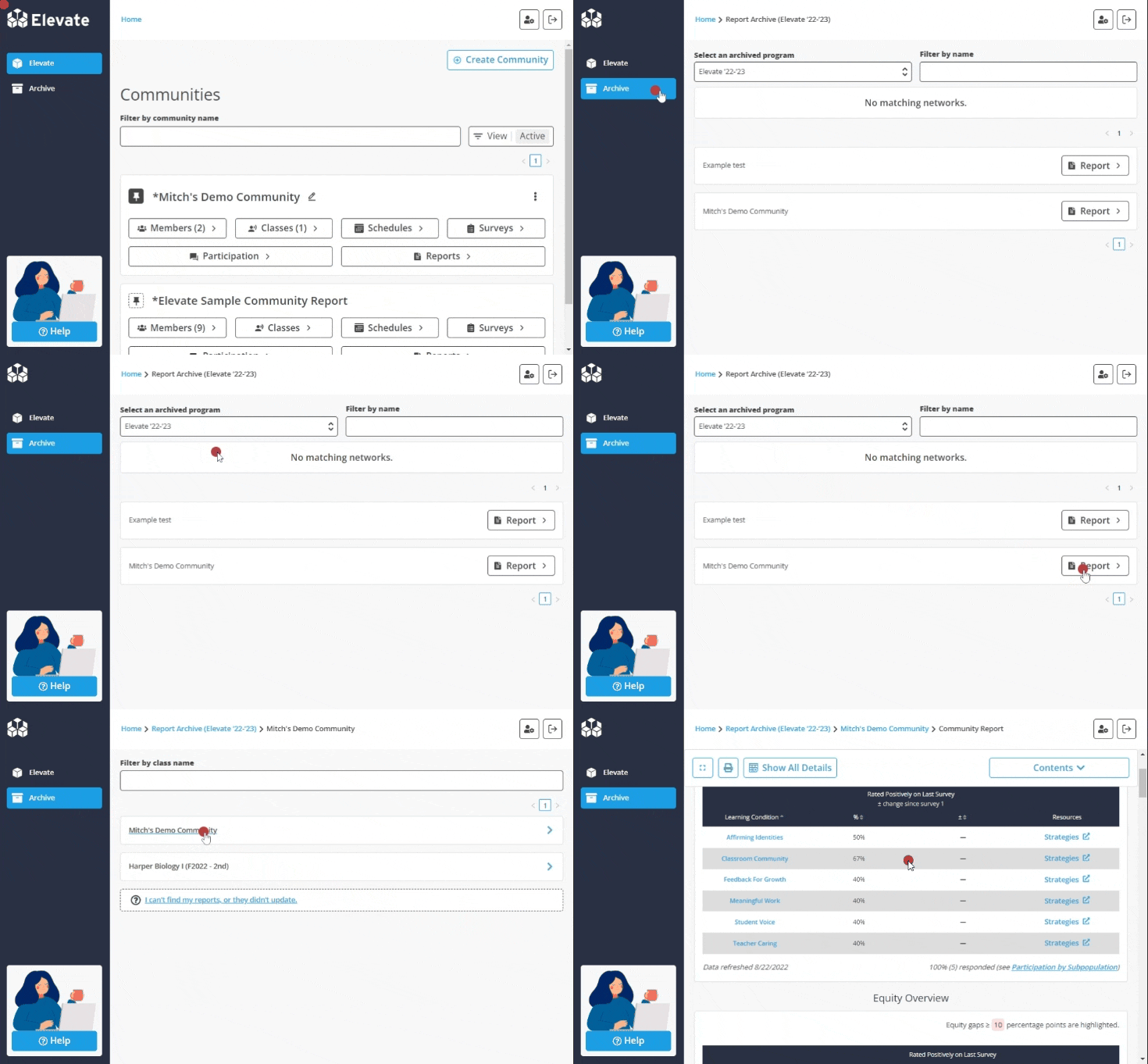
In order to access archived reports:
- Sign in
- Click Archive in the left-hand navigation bar
- Select the archived program and year you wish to access
- Click Report next to the appropriate Community or Network
- Click on the report you wish to view
If you encounter a message that reads “no report found,” a report for that Class, Community, or Network was never generated.