Skip to content
PERTS Ascend Support
Ascend HomepageAscend LoginAscend DemoSubmit a Ticket
  1. Home
  2. Program Set Up & Participation Monitoring
  3. Survey
  4. How can I preview the survey?

How can I preview the survey?

Updated September 1, 2022

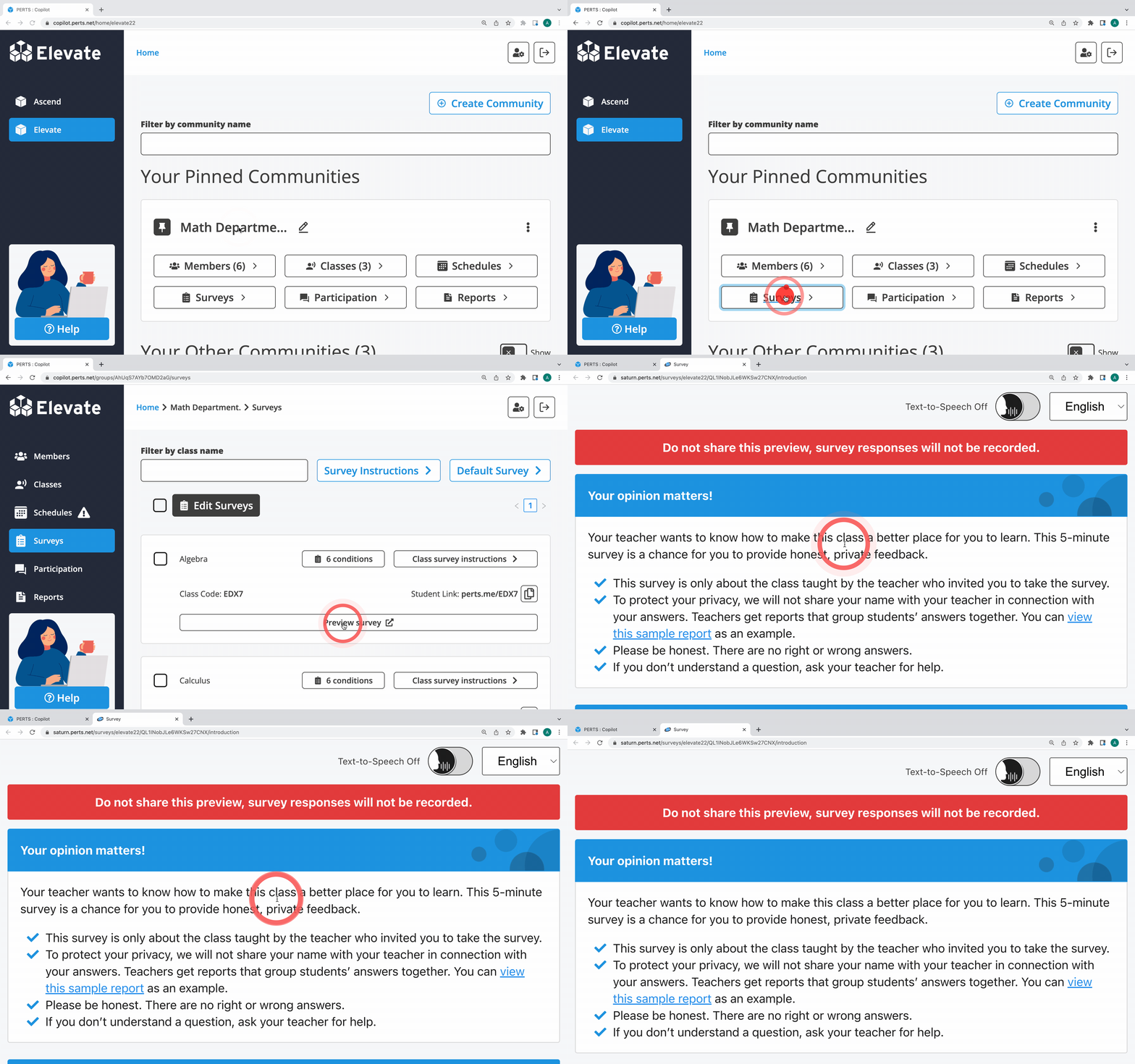
Follow the steps below to preview the survey.

  1. Sign in
  2. Click Surveys inside the community you would like to preview in
  3. Click Preview

PreviousDo the surveys collect any qualitative data? Next Can I select a subset of survey questions or edit the questions?

Still need help?

Submit a Ticket

Survey

  • Orientation to the Surveys Page
  • How do I administer the Ascend or Elevate survey to my students?
  • What are participants asked on the survey?
  • How can I be sure students understand the Elevate questions?
  • Do the surveys collect any qualitative data?
  • How can I preview the survey?
  • Can I select a subset of survey questions or edit the questions?
  • What accessibility features are available in the survey?
  • Is the Elevate survey available in Spanish or other languages?
  • Do participants experience survey fatigue?
  • What if a participant completes the survey more than once in the same survey window?
  • Help! A participant can't access the survey.
  • Can a participant change their survey responses?
  • Can I remove demographic questions from the survey?
PERTS
Ascend Support Knowledge Base Submit a Ticket